
ACFの画像で、メイソンリーレイアウトのLightboxギャラリーを作成
WordPressでは、ギャラリープラグインは、Modulaなど多くあります。今回は、ACFの画像で、メイソンリーレイアウトのLightboxギャラリーを作成する方法を紹介します。


出典 : Lightbox2
今回のDEMOは、フランス旅行の写真ギャラリーです。

16枚の画像をギャラリーにしています。画像をクリックするとライトボックスで表示されます。SPでは2カラム、タブレットでは3カラム、PCでは4カラムになります。
ACF設定
フィールドタイプは、画像です。フィールドラベルに編集画面に表示する名前、フィールド名にPHPに記入する名前を設定します。戻り値の形式は、画像URLです。ライブラリはすべてです。
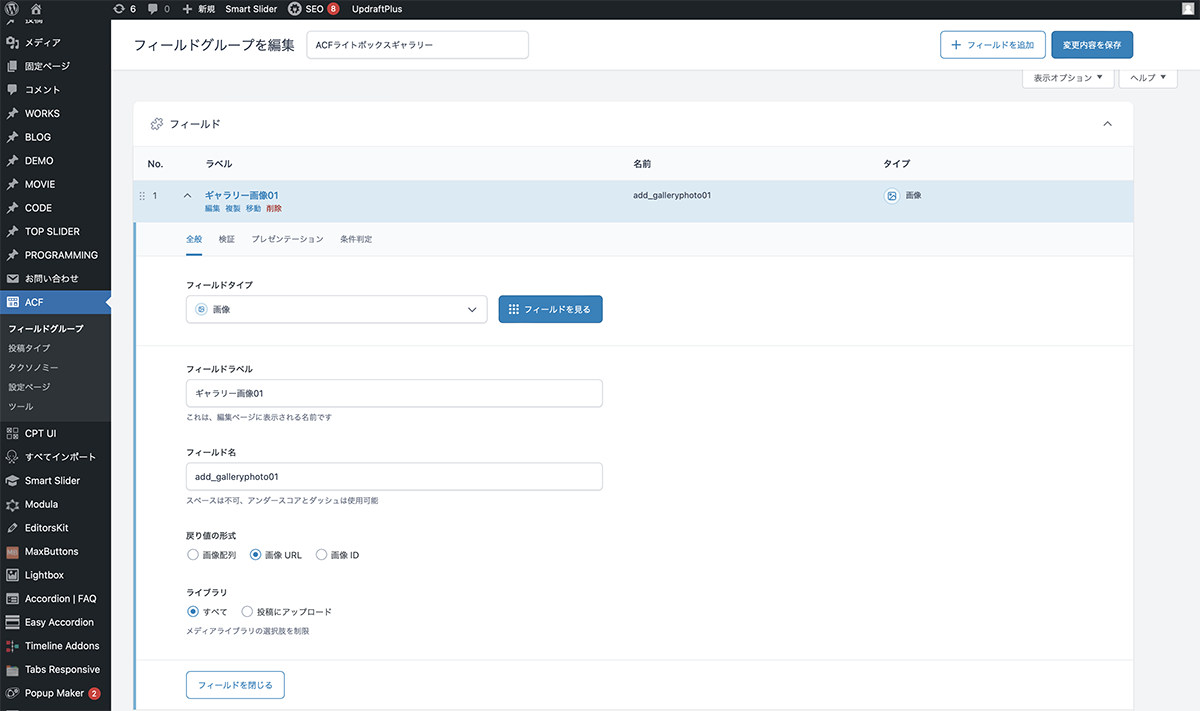
フィールドタイプは、画像
| 項目 | 設定値 |
|---|---|
| フィールドタイプ | 画像 |
| フィールドラベル | ギャラリー画像01 |
| フィールド名 | add_galleryphoto01 |
| 戻り値の形式 | 画像URL |
| ライブラリ | すべて |
同じように、16個の画像フィールドを作成します。これで、ACF設定は完了です。
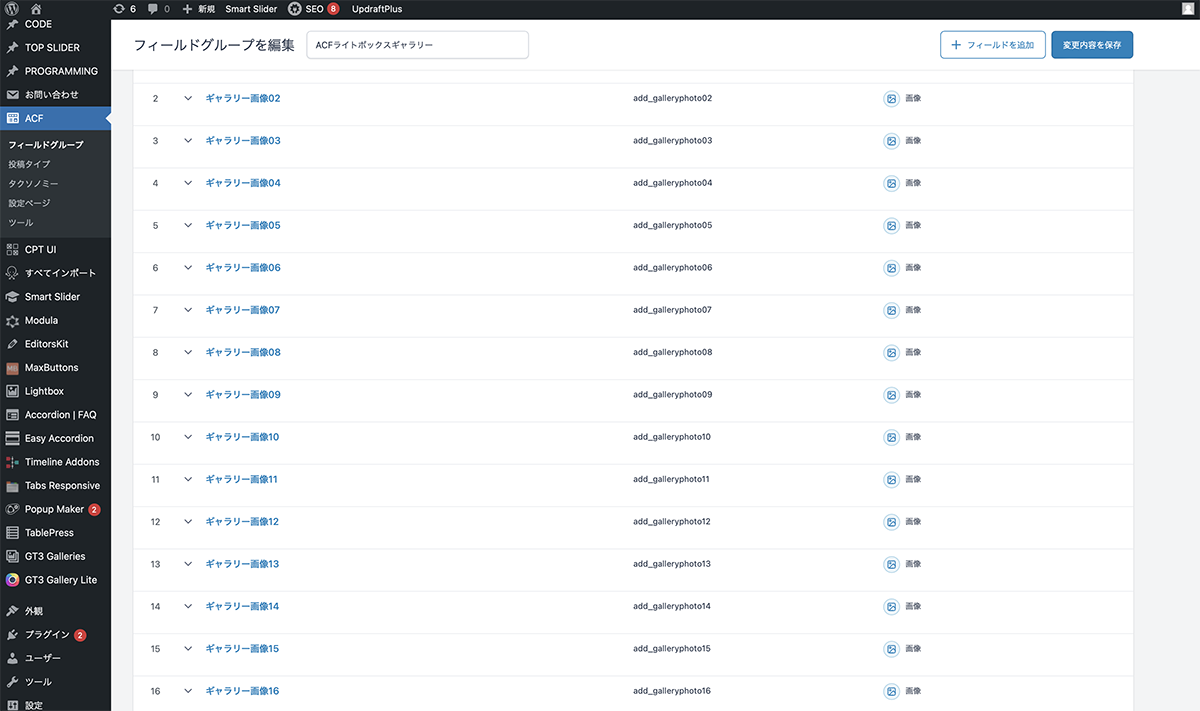
16個の画像フィールドを作成
コード
シングルページループ内に下記コードを入力します。
<ul class="gallery">
	<?php if (get_field('add_galleryphoto01')): ?>
		<li>
			<a href="<?php the_field('add_galleryphoto01'); ?>" data-lightbox="gallery1" data-title="">
				<img src="<?php the_field('add_galleryphoto01'); ?>" alt="">
			</a>
		</li>
	<?php endif ?>
	<?php if (get_field('add_galleryphoto02')): ?>
		<li>
			<a href="<?php the_field('add_galleryphoto02'); ?>" data-lightbox="gallery1" data-title="">
				<img src="<?php the_field('add_galleryphoto02'); ?>" alt="">
			</a>
		</li>
	<?php endif ?>
	<?php if (get_field('add_galleryphoto03')): ?>
		<li>
			<a href="<?php the_field('add_galleryphoto03'); ?>" data-lightbox="gallery1" data-title="">
				<img src="<?php the_field('add_galleryphoto03'); ?>" alt="">
			</a>
		</li>
	<?php endif ?>
	<?php if (get_field('add_galleryphoto04')): ?>
		<li>
			<a href="<?php the_field('add_galleryphoto04'); ?>" data-lightbox="gallery1" data-title="">
				<img src="<?php the_field('add_galleryphoto04'); ?>" alt="">
			</a>
		</li>
	<?php endif ?>
	<?php if (get_field('add_galleryphoto05')): ?>
		<li>
			<a href="<?php the_field('add_galleryphoto05'); ?>" data-lightbox="gallery1" data-title="">
				<img src="<?php the_field('add_galleryphoto05'); ?>" alt="">
			</a>
		</li>
	<?php endif ?>
	<?php if (get_field('add_galleryphoto06')): ?>
		<li>
			<a href="<?php the_field('add_galleryphoto06'); ?>" data-lightbox="gallery1" data-title="">
				<img src="<?php the_field('add_galleryphoto06'); ?>" alt="">
			</a>
		</li>
	<?php endif ?>
	<?php if (get_field('add_galleryphoto07')): ?>
		<li>
			<a href="<?php the_field('add_galleryphoto07'); ?>" data-lightbox="gallery1" data-title="">
				<img src="<?php the_field('add_galleryphoto07'); ?>" alt="">
			</a>
		</li>
	<?php endif ?>
	<?php if (get_field('add_galleryphoto08')): ?>
		<li>
			<a href="<?php the_field('add_galleryphoto08'); ?>" data-lightbox="gallery1" data-title="">
				<img src="<?php the_field('add_galleryphoto08'); ?>" alt="">
			</a>
		</li>
	<?php endif ?>
	<?php if (get_field('add_galleryphoto09')): ?>
		<li>
			<a href="<?php the_field('add_galleryphoto09'); ?>" data-lightbox="gallery1" data-title="">
				<img src="<?php the_field('add_galleryphoto09'); ?>" alt="">
			</a>
		</li>
	<?php endif ?>
	<?php if (get_field('add_galleryphoto10')): ?>
		<li>
			<a href="<?php the_field('add_galleryphoto10'); ?>" data-lightbox="gallery1" data-title="">
				<img src="<?php the_field('add_galleryphoto10'); ?>" alt="">
			</a>
		</li>
	<?php endif ?>
	<?php if (get_field('add_galleryphoto11')): ?>
		<li>
			<a href="<?php the_field('add_galleryphoto11'); ?>" data-lightbox="gallery1" data-title="">
				<img src="<?php the_field('add_galleryphoto11'); ?>" alt="">
			</a>
		</li>
	<?php endif ?>
	<?php if (get_field('add_galleryphoto12')): ?>
		<li>
			<a href="<?php the_field('add_galleryphoto12'); ?>" data-lightbox="gallery1" data-title="">
				<img src="<?php the_field('add_galleryphoto12'); ?>" alt="">
			</a>
		</li>
	<?php endif ?>
	<?php if (get_field('add_galleryphoto13')): ?>
		<li>
			<a href="<?php the_field('add_galleryphoto13'); ?>" data-lightbox="gallery1" data-title="">
				<img src="<?php the_field('add_galleryphoto13'); ?>" alt="">
			</a>
		</li>
	<?php endif ?>
	<?php if (get_field('add_galleryphoto14')): ?>
		<li>
			<a href="<?php the_field('add_galleryphoto14'); ?>" data-lightbox="gallery1" data-title="">
				<img src="<?php the_field('add_galleryphoto14'); ?>" alt="">
			</a>
		</li>
	<?php endif ?>
	<?php if (get_field('add_galleryphoto15')): ?>
		<li>
			<a href="<?php the_field('add_galleryphoto15'); ?>" data-lightbox="gallery1" data-title="">
				<img src="<?php the_field('add_galleryphoto15'); ?>" alt="">
			</a>
		</li>
	<?php endif ?>
	<?php if (get_field('add_galleryphoto16')): ?>
		<li>
			<a href="<?php the_field('add_galleryphoto16'); ?>" data-lightbox="gallery1" data-title="">
				<img src="<?php the_field('add_galleryphoto16'); ?>" alt="">
			</a>
		</li>
	<?php endif ?>
</ul>jQueryとLightbox2を読み込みます。JavaScriptファイルを作成し、各コードを入力し、読み込みます。
lightbox.option({
  'wrapAround': true,
  'albumLabel': ' %1 / total %2 ',
  'maxWidth' :'1000',
})CSSでスタイルを整えます。
.gallery{
    columns: 4;
    padding: 0;
    margin: 0;
    column-gap: 0;
}

.gallery li {
    margin-bottom: 0px;
}

.gallery img{
	width: 100%;
	height: auto;
	vertical-align: bottom;
}

@media only screen and (max-width: 1250px) {
	.gallery{
	columns: 3;
	}
}

@media only screen and (max-width: 740px) {
	.gallery{
	columns: 2;
	}
}
設置
編集画面にACFライトボックスギャラリーのフィールドが作成されます。画像を追加をクリックし、メディアライブラリから画像を選択すると、フィールドに画像が設定されます。同じように、全てのフィールドに画像を設定します。これで完成です。
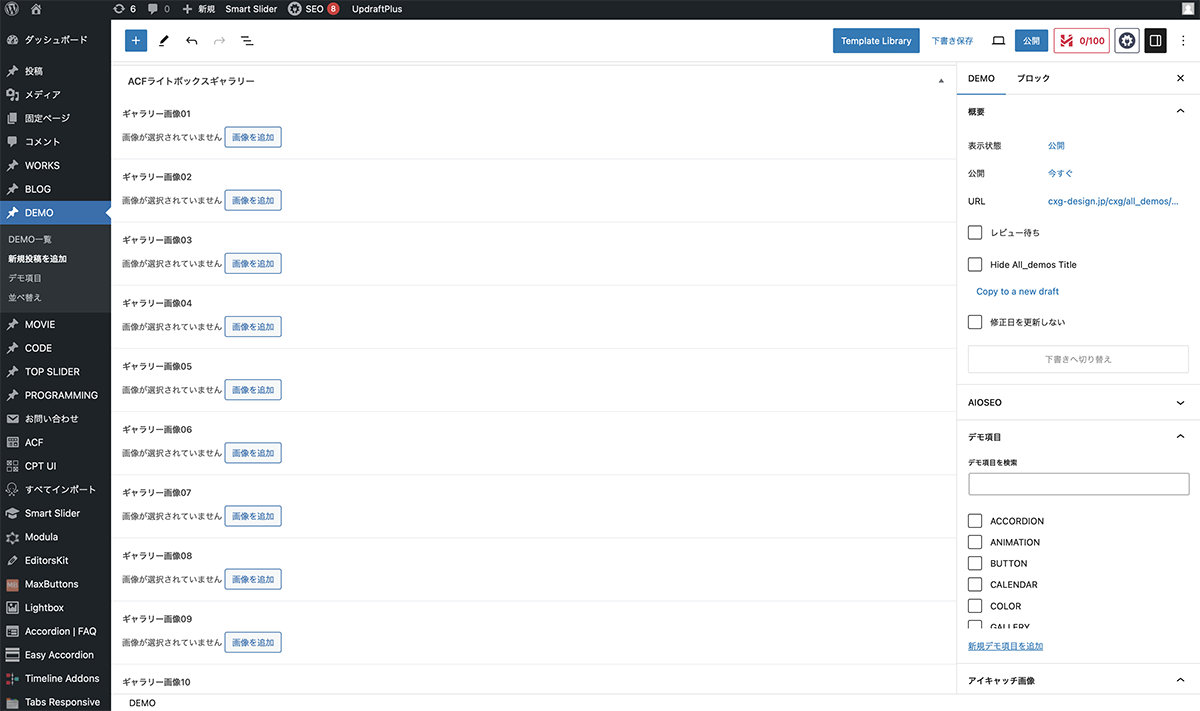
画像を追加をクリック
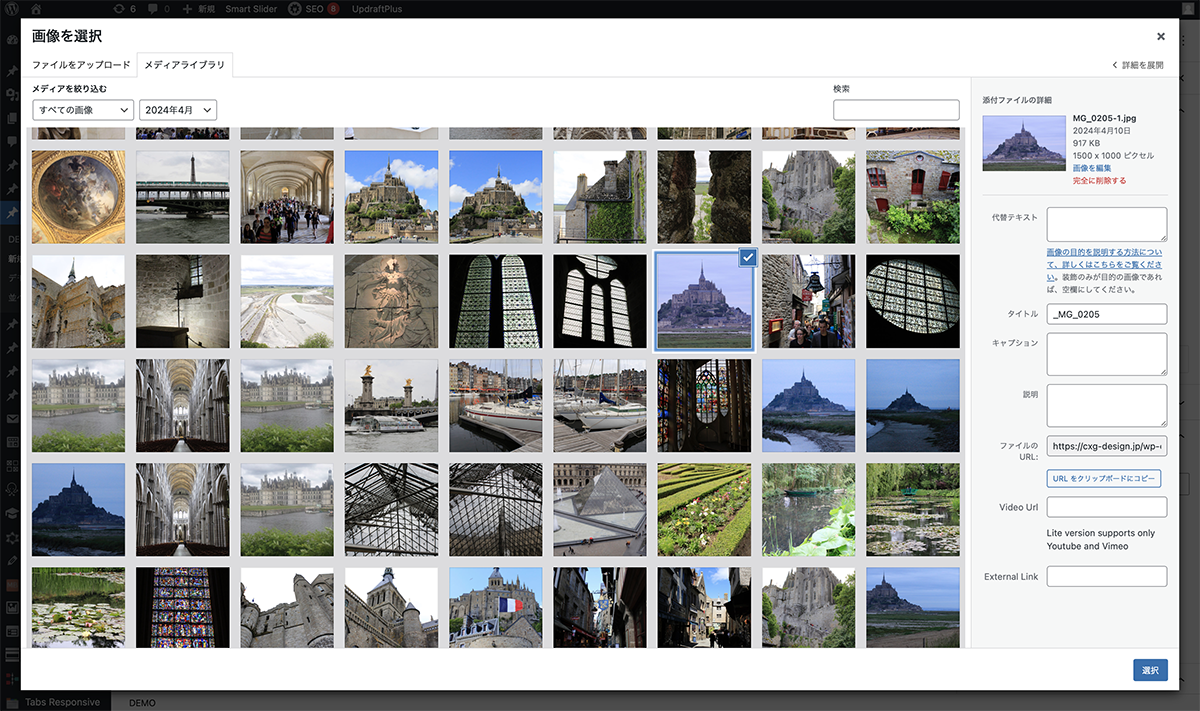
メディアライブラリから画像を選択
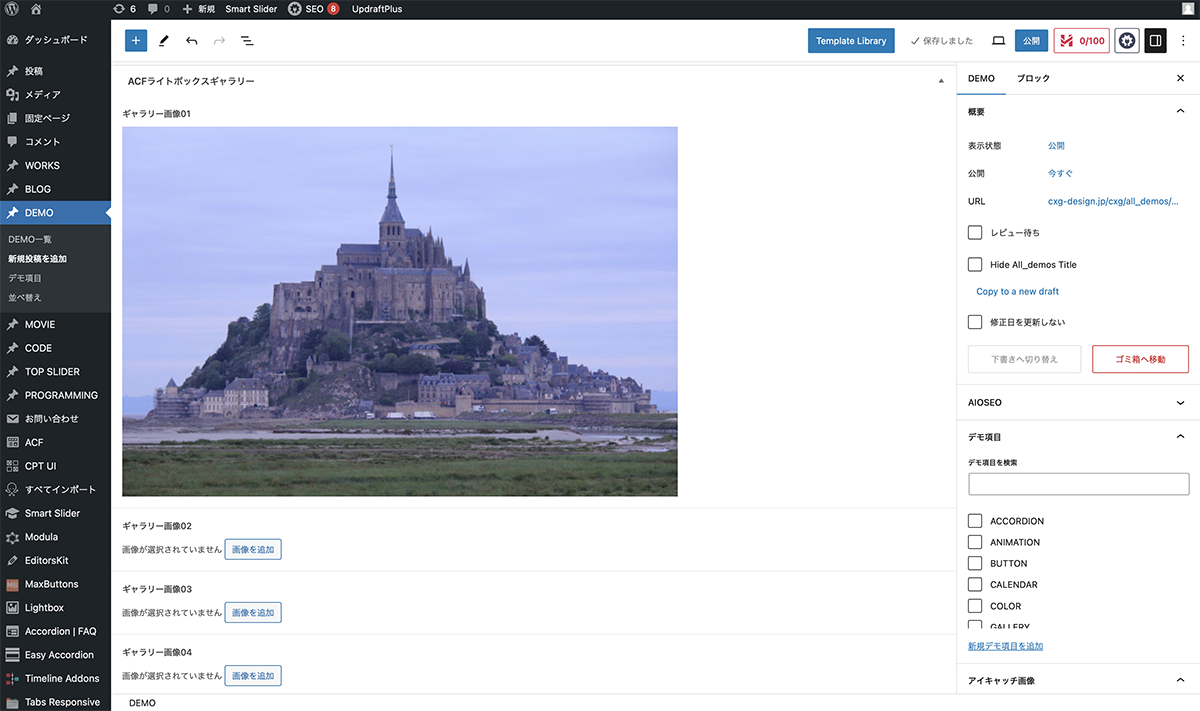
フィールドに画像が設定
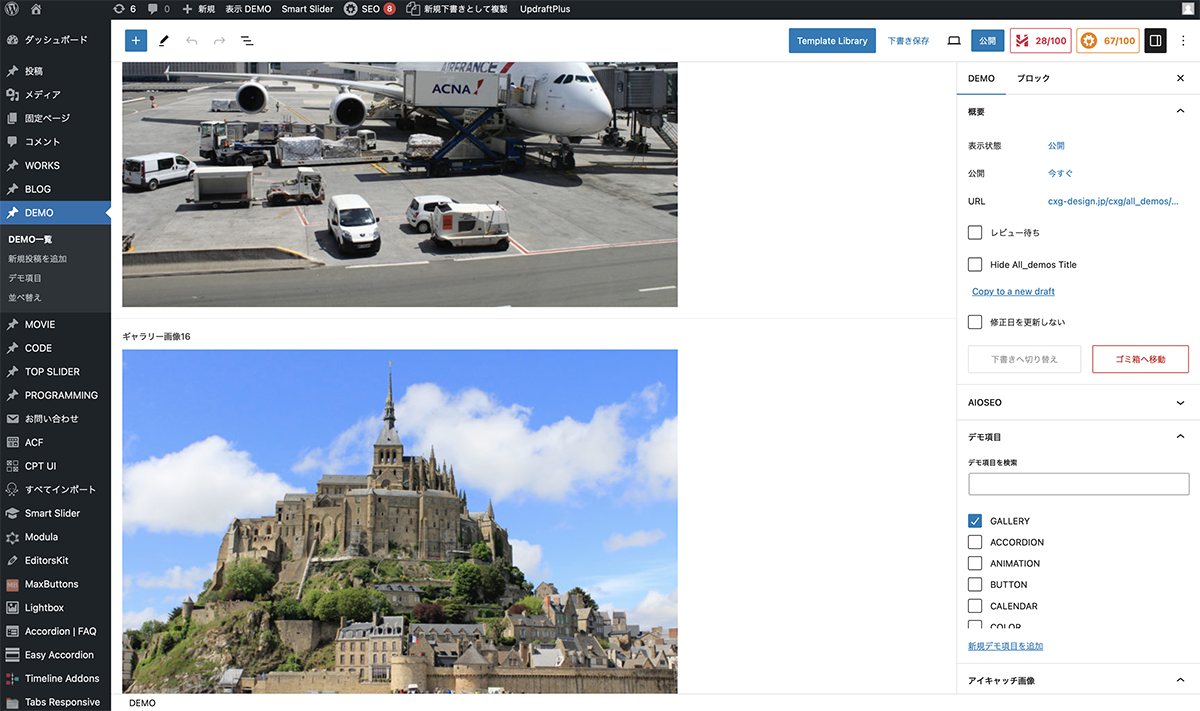
同じように、全てのフィールドに画像を設定
以上で今回の説明は終了です。WordPressでは、ギャラリーはプラグインを使った方が便利ですが、今回のACF設定だと、編集画面のみで設定できるので、簡単に更新できます。