idを指定して、ページ内をスクロール移動
IDを指定して、スクロール移動する方法を紹介します。
右下のボタンをクリックすると、それぞれのブロックまでスクロールします。

右下のボタンをクリック
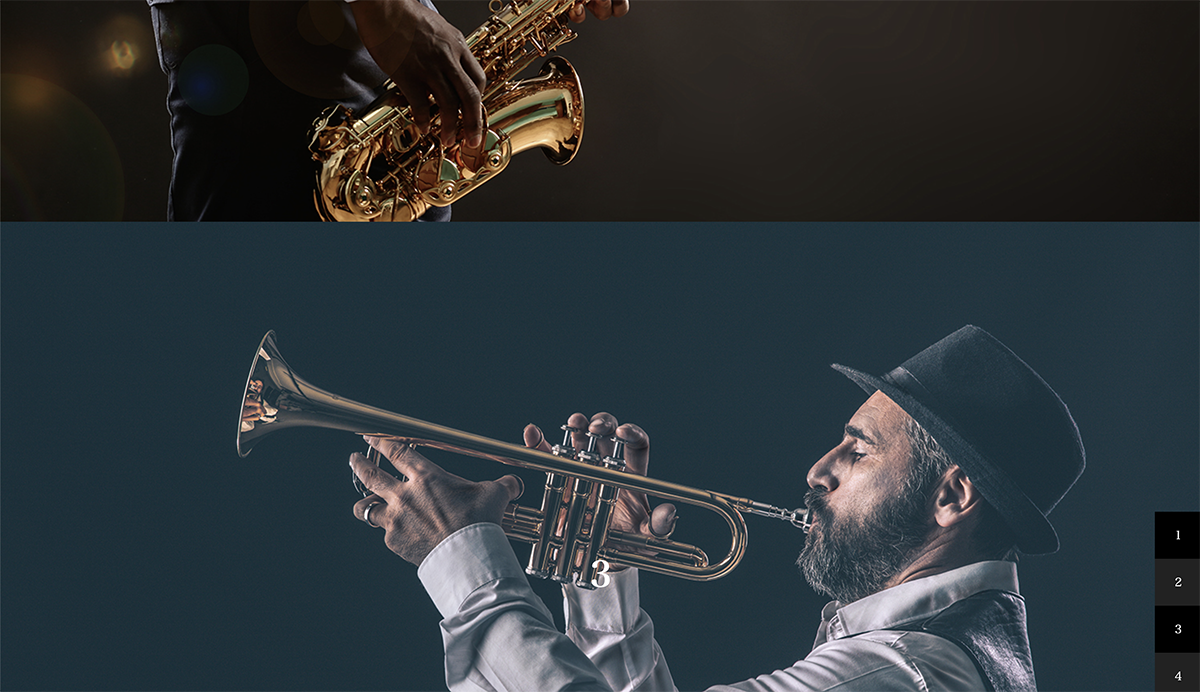
それぞれのブロックまでスクロール
コード
<div id="column1">
	<h1 class="log">1</h1>
</div>
<div id="column2">
	<h1 class="log2">2</h1>
</div>
<div id="column3">
	<h1 class="log3">3</h1>
</div>
<div id="column4">
	<h1 class="log3">4</h1>
</div>
<ul id = "button">
	<li class="button">1</li><li class="button">2</li><li class="button">3</li><li class="button">4</li>
</ul>
li{
list-style: none;
}
h1{
font-size: 3rem;
}
#column1 {
display: grid;
place-content: center;
height: 100vh;
width: 100vw;
background-image: url("../images/jazz001.jpeg");
background-repeat: no-repeat;
background-position: 70% center;
background-size: cover;
position: relative;
overflow: hidden;
}
#column1 img{
width: 100%;
height: 100%;
object-fit: cover;
}
#column2 {
display: grid;
place-content: center;
height: 100vh;
width: 100vw;
background-image: url("../images/jazz002.jpeg");
background-repeat: no-repeat;
background-position: 45% center;
background-size: cover;
position: relative;
overflow: hidden;
}
#column2 .textcontent2{
position: absolute;
margin-bottom: auto ;
margin-top: auto ;
top: 50%;
left: 50%;
transform: translate(-50%, -50%);
-webkit-transform: translate(-50%, -50%);
-ms-transform: translate(-50%, -50%);
}
#column2 img{
width: 100%;
height: 100%;
object-fit: cover;
}
#column3 {
display: grid;
place-content: center;
height: 100vh;
width: 100vw;
background-image: url("../images/jazz006.jpeg");
background-repeat: no-repeat;
background-position: 68% 50%;
background-size: cover;
position: relative;
overflow: hidden;
}
#column3 .textcontent3{
position: absolute;
margin-bottom: auto ;
margin-top: auto ;
top: 50%;
left: 50%;
transform: translate(-50%, -50%);
-webkit-transform: translate(-50%, -50%);
-ms-transform: translate(-50%, -50%);
}
#column3 img{
width: 100%;
height: 100%;
object-fit: cover;
}
#column4 {
display: grid;
place-content: center;
height: 100vh;
width: 100vw;
background: rgba(255,0,0,1);
background-image: url("../images/jazz004.jpeg");
background-repeat: no-repeat;
background-position: 35% 50%;
background-size: cover;
position: relative;
overflow: hidden;
}
#column4 .textcontent4{
position: absolute;
margin-bottom: auto ;
margin-top: auto ;
top: 50%;
left: 50%;
transform: translate(-50%, -50%);
-webkit-transform: translate(-50%, -50%);
-ms-transform: translate(-50%, -50%);
}
#column4 img{
width: 100%;
height: 100%;
object-fit: cover;
}
#button{
position: fixed;
right: 0;
bottom: 0;
disipay: flex;
flex-flow: column;
}
#button li{
disipay: block;
width: 4em;
height: 4em;
background: #222;
display: grid;
align-items: center;
cursor: pointer;
}
#button li:nth-child(odd){
background: #000;
}const column1 = document.querySelector('#column1');
const column2 = document.querySelector('#column2');
const column3 = document.querySelector('#column3');
const column4 = document.querySelector('#column4');
const button = document.querySelectorAll('.button');
for(let i = 0; i < button.length; i++){
button[0].addEventListener('click', function() {
column1.scrollIntoView({
behavior: "smooth"
});
}, false);
button[1].addEventListener('click', function() {
column2.scrollIntoView({
behavior: "smooth"
});
}, false);
button[2].addEventListener('click', function() {
column3.scrollIntoView({
behavior: "smooth"
});
}, false);
button[3].addEventListener('click', function() {
column4.scrollIntoView({
behavior: "smooth"
});
}, false);
}